Total Virtual
- Walkthroughs
- Go straight to the teacher.
- Goals
- Up to two coaching goals at a time, set with the twin.
 coltivare360
Instructional coaching for K-12
A teacher records a lesson. Coltivare writes the walkthrough on your district's rubric, the coach checks it, and the teacher talks it through with their own coach's twin, in the coach's voice, the same day.
Already using Coltivare? Sign in
How it works
Teachers get specific feedback within the hour. Coaches spend their visits where they matter most.
A phone or classroom recording, plus the lesson plan if they have it, so Coltivare knows what the lesson set out to do.
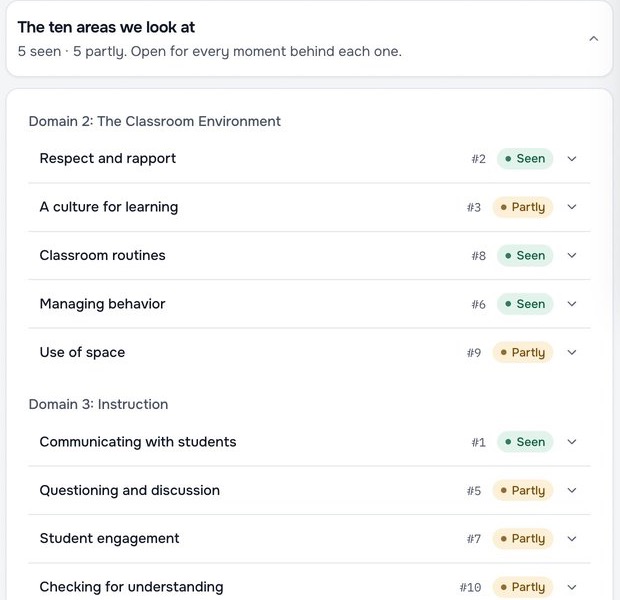
It rates each area as Seen, Partly, Not yet or N/A, with evidence, and names what's working and the one thing to try next.
The coach can change any rating or word before the teacher sees it. In Total Virtual districts it goes straight to the teacher.
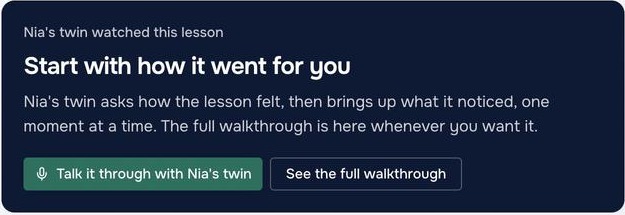
A ten-minute spoken conversation with the coach's twin: what went well, one moment to rewatch, and a next step the teacher picks.
For teachers
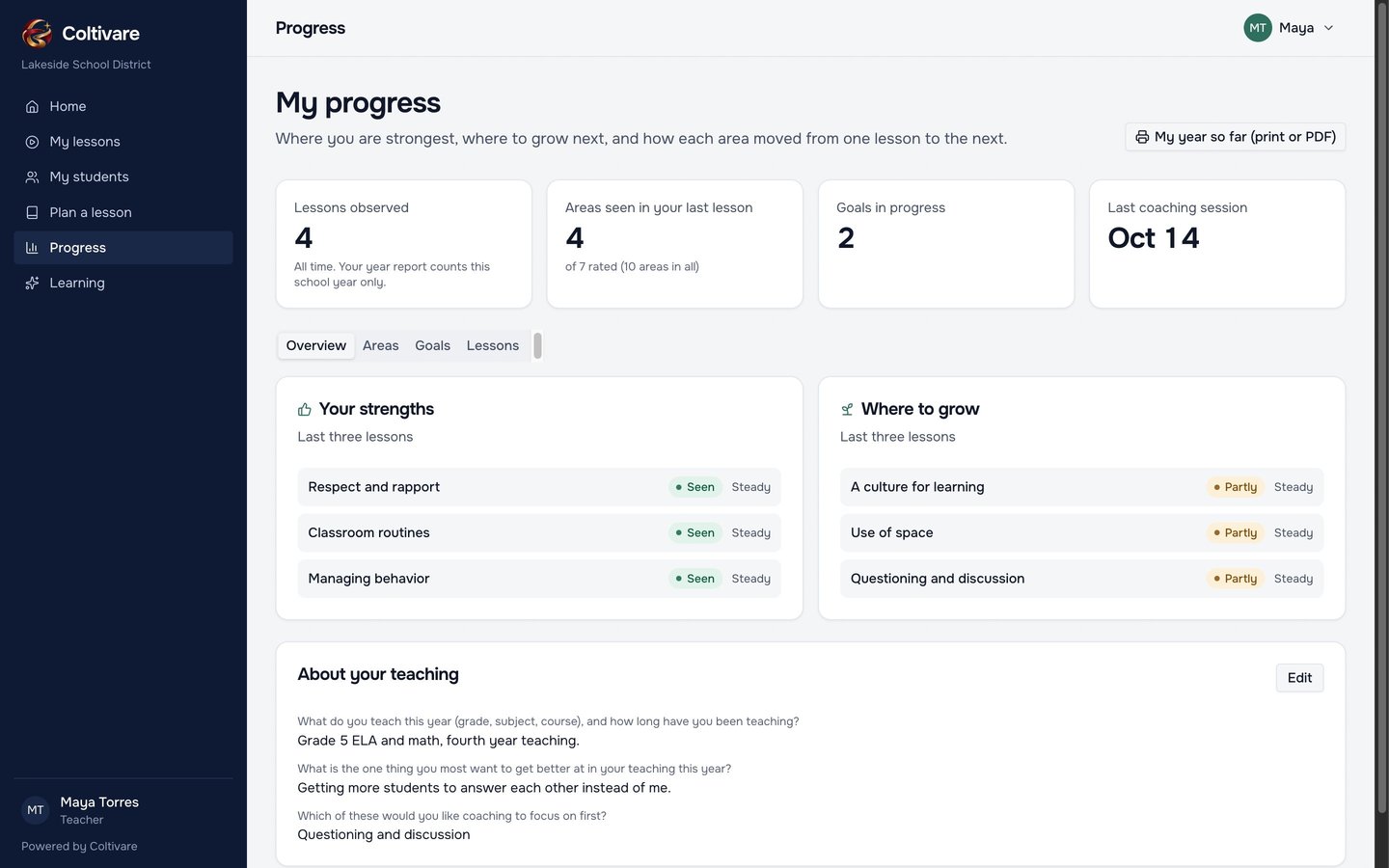
Each walkthrough starts with what went well and ends with one thing to try. Progress shows a teacher's strongest areas, where to grow next, and how each area moved from one lesson to the next.
Student data
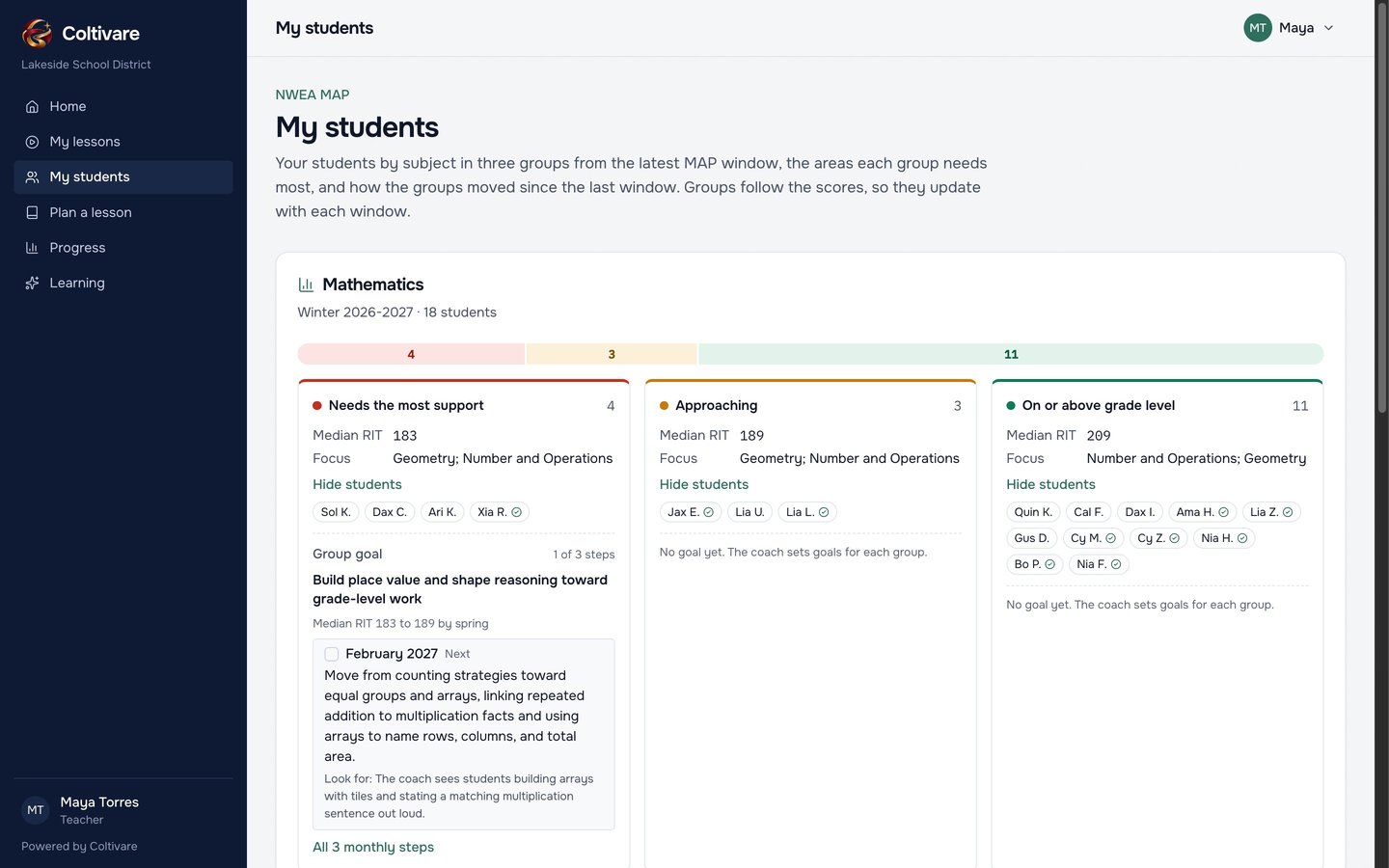
Import your NWEA MAP exports and every teacher sees their students in three groups per subject, with the focus areas each group needs. Group goals come with monthly steps, and movement shows up after each test window.
For coaches
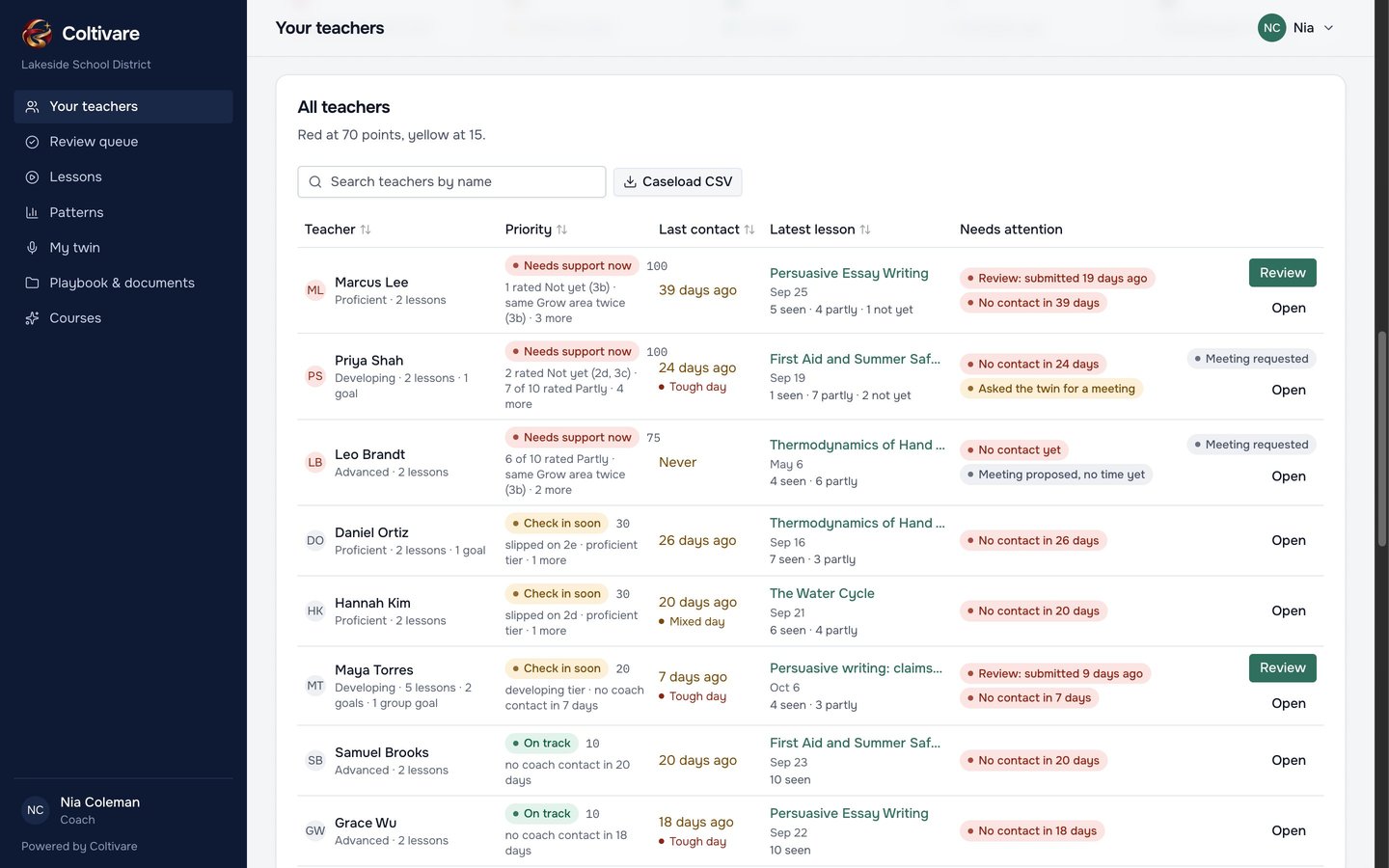
The queue ranks teachers by what your district says matters: an area not yet seen, the same Grow twice, a rating that slipped, a walkthrough waiting for review, or a twin conversation that asked for a meeting.
For districts
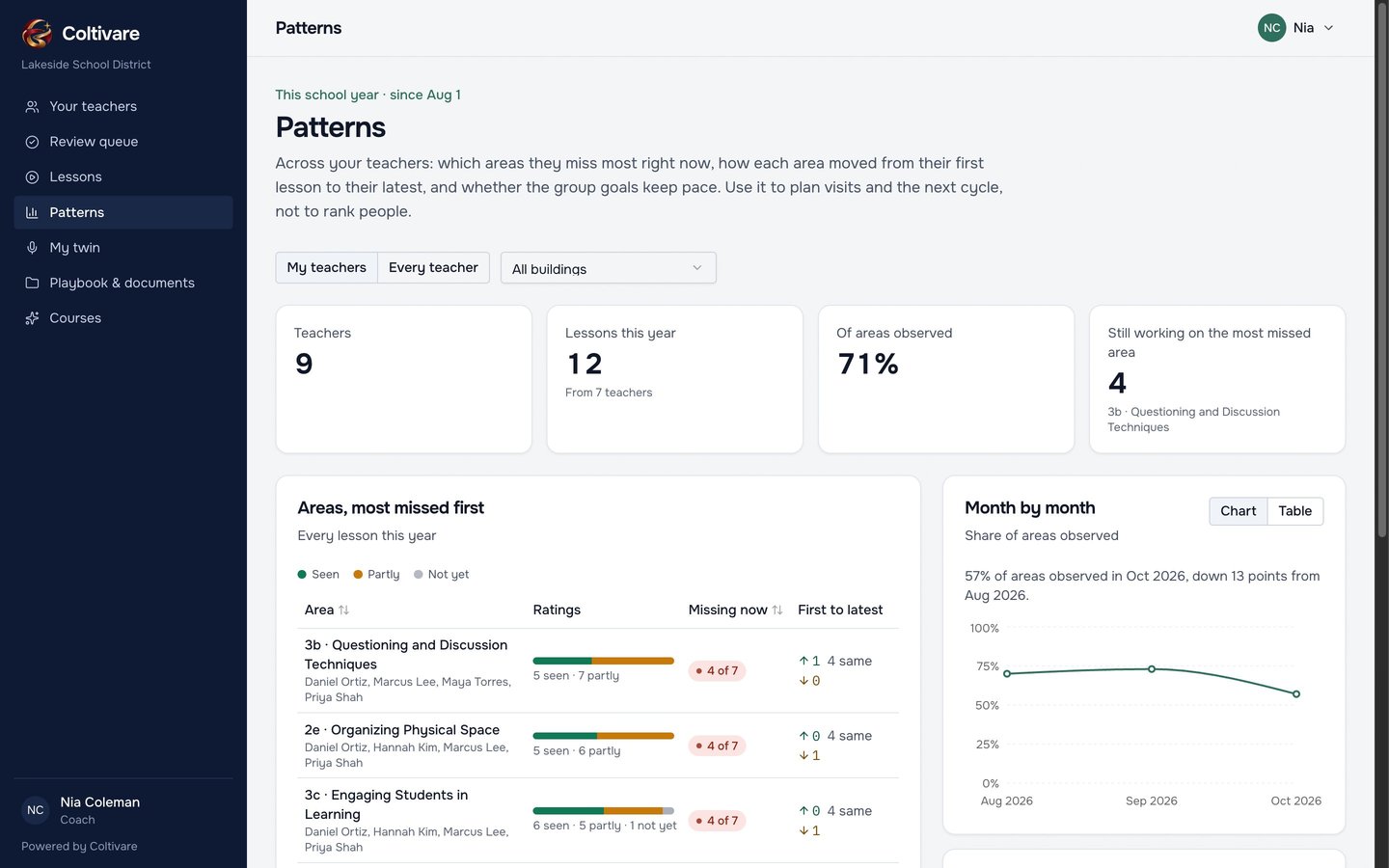
Patterns show which areas teachers miss most right now, how each area moved from first lesson to latest, and whether group goals keep pace, filtered by building. It's for planning the next cycle, never for ranking people.
Delivery models
Each district picks one model. It decides who approves walkthroughs and how goals work.
Student privacy
Walkthroughs and twin conversations support growth. The twin tells teachers that nothing goes to their principal.
The twin doesn't name students unless the district turns that on, and teachers confirm recording consent at every upload.
An audit log of who opened what, district retention settings, and a reason required whenever Coltivare staff open a workspace.
We set up your district with you: your rubric, buildings, coaches and teachers, and your NWEA data. Most districts start with a small pilot group of teachers and one or two coaches.